Bug Matrix 🐞 – Your Ultimate All-in-One Professional Utilities Hub!
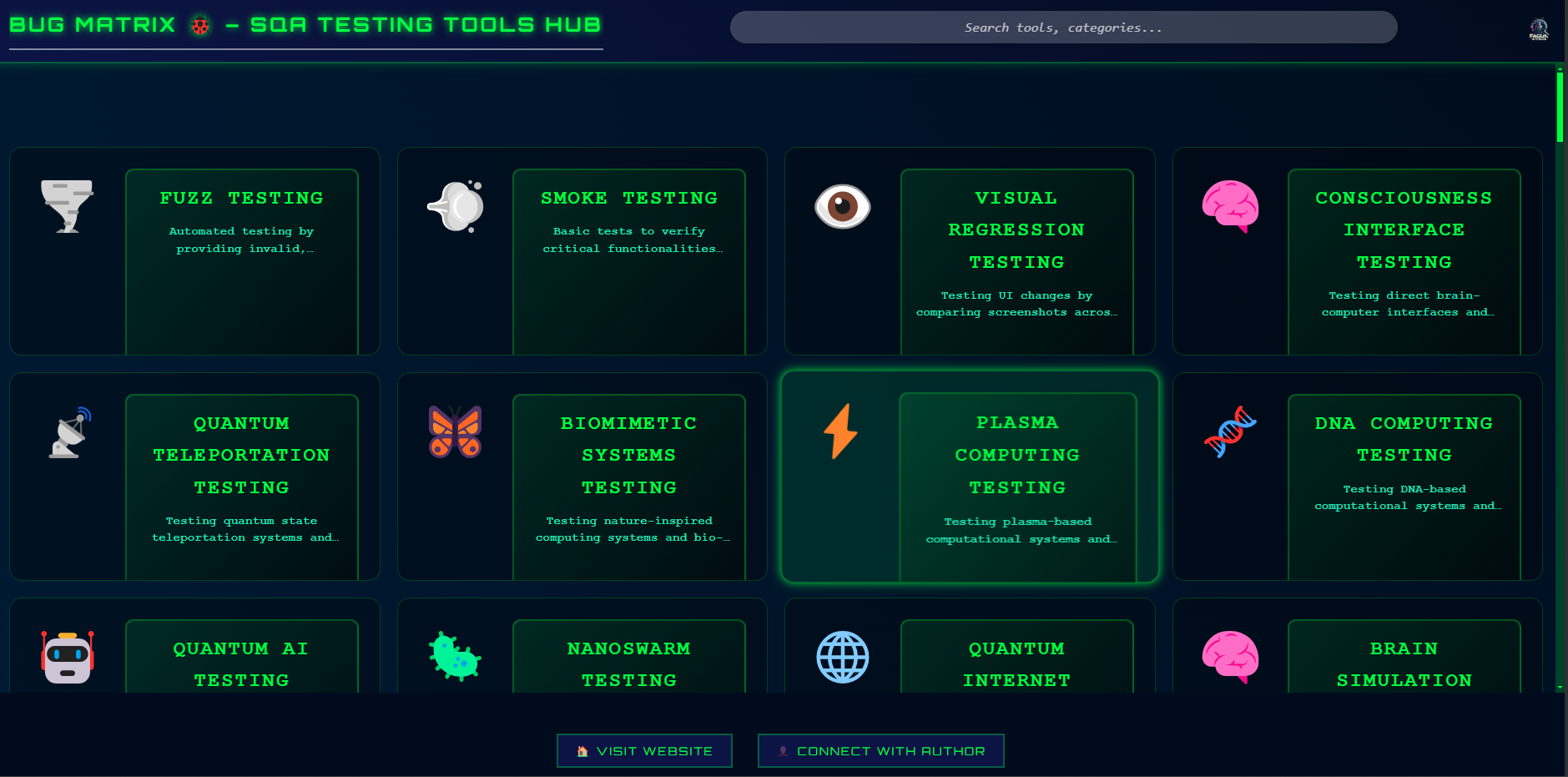
🌟 One Extension, Endless Possibilities!
Tired of juggling multiple tools across different platforms? Bug Matrix is here to revolutionize your workflow! Whether you're a Software Tester, Developer, Security Researcher, IT Professional, Designer, DevOps Engineer, SEO Analyst, or Business Expert, this power-packed browser extension gives you instant access to essential tools tailored to your profession—all in one place!
🎯 Why Choose Fagun With Bugs?
✅ One-Stop Solution – All the essential tools, neatly categorized for quick access.
✅ Time-Saving & Efficient – Find, launch, and utilize tools in a single click.
✅ Lightweight & Secure – Optimized for speed, performance, and privacy.
✅ Customizable – Add your favorite tools for a personalized experience.
✅ Always Up-to-Date – Regular updates with new features and tools based on user feedback.
🚀 Key Features
1️⃣ Centralized Resource Directory – Access 100+ Essential Tools!
Find the right tool for every task across multiple domains:
- 📝 Manual Testing & Validation – Test case management, exploratory testing, bug tracking.
- 🤖 Automation & Scripting – Selenium, Playwright, Cypress, WebDriver, Puppeteer.
- 🔗 API & Web Services – Postman, SoapUI, REST Assured, Swagger, GraphQL testing.
- 🔐 Security & Ethical Hacking – Burp Suite, OWASP ZAP, SQLmap, Nmap, vulnerability scanners.
- 📊 Performance & Load Testing – JMeter, k6, Locust, Lighthouse, website speed analyzers.
- 💻 Development & Debugging – Code editors, browser dev tools, CI/CD pipelines, Git utilities.
- 🌍 Networking & System Admin – Ping, traceroute, WHOIS lookup, IP scanners.
- 🎨 UX/UI & Design – Color palettes, accessibility checkers, design prototyping tools.
- 📈 SEO & Web Analytics – Google PageSpeed, Ahrefs, Moz, keyword rank checkers.
- 🎯 Productivity & Workflows – Notetaking, task managers, automation bots, time trackers.
2️⃣ One-Click Access
No more wasting time searching for official websites or documentation. Simply click and go—all tools are directly accessible from your browser!
3️⃣ User-Friendly Interface
A clean, minimalistic UI for effortless navigation, making sure you find what you need instantly.
4️⃣ Always Up-to-Date
We constantly add new tools, update features, and enhance performance to stay ahead!
5️⃣ Lightweight, Secure & Privacy-Focused
No unnecessary permissions required. No data tracking—your privacy is our priority. Minimal resource usage—keeps your browser running smoothly.
👨💻 Who Can Benefit from This Extension?
🚀 Not Just for Testers! This extension is the perfect companion for every professional:
- 👨💻 Developers & Engineers – Code debugging, testing, and optimization.
- 🛠 Software Testers & QA Experts – Manual, automation, API, and security testing tools.
- 🔐 Security Professionals & Ethical Hackers – Pentesting, vulnerability scanning, forensic tools.
- 🌐 Network Engineers & SysAdmins – DNS tools, IP lookup, cybersecurity monitoring.
- 🎨 Designers & UI/UX Experts – Wireframing, accessibility checkers, color tools.
- 📈 SEO & Digital Marketers – Web analytics, performance tracking, and keyword research.
- 📊 DevOps & Cloud Engineers – CI/CD, Docker, Kubernetes, AWS utilities.
- 💼 Business Professionals & Project Managers – Productivity, automation, and collaboration tools.
⚙️ How to Use Fagun With Bugs?
- 1️⃣ Install – Add the extension from the Chrome Web Store.
- 2️⃣ Open – Click the extension icon to access the categorized tools.
- 3️⃣ Browse – Choose a category and select the best tool for your needs.
- 4️⃣ Click & Go – Instantly navigate to official tool websites and documentation.
- 5️⃣ Customize – Add your favorite tools for a personalized experience.
🌍 Supported Platforms
✅ Works on Windows, Mac, and Linux.
✅ Compatible with Chrome, Edge, Brave, and other Chromium-based browsers.
🔗 Get Started Today!
📌 Install Now – Click "Add to Chrome" and unlock thousands of professional tools!
📢 Spread the Word – Share this extension with your colleagues and communities.
💻 Website & Support
🌐 Website: https://sqatesting.com
📧 Support: Need help? Email us at fagun115946@gmail.com
🔍 Follow for Updates & More! 🚀
💡 One Extension, Thousands of Solutions – Simplify Your Workflow Today!

Mejbaur Bahar Fagun
Software Engineer in Test